


We’ve recently replaced Kiosk Mode and Expo Mode with On Site Registration. Why is On Site Registration important? A smooth and streamlined process on race day has always been key for creating a positive race day experience; today more than ever, participants are looking to get registered fast and races are trying to go paperless.
You should notice the new menu item in the Race Dashboard Menu under the RaceDay Tools tab.

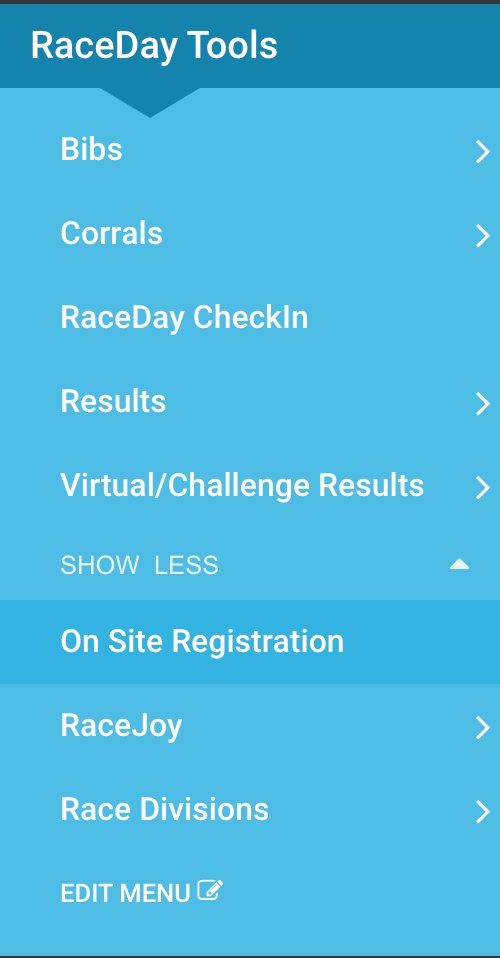
The functionality of On Site Registration remains very similar to that of Expo Mode but we’ve made some changes in how this feature is displayed that should make it a bit more of a streamlined set up experience.
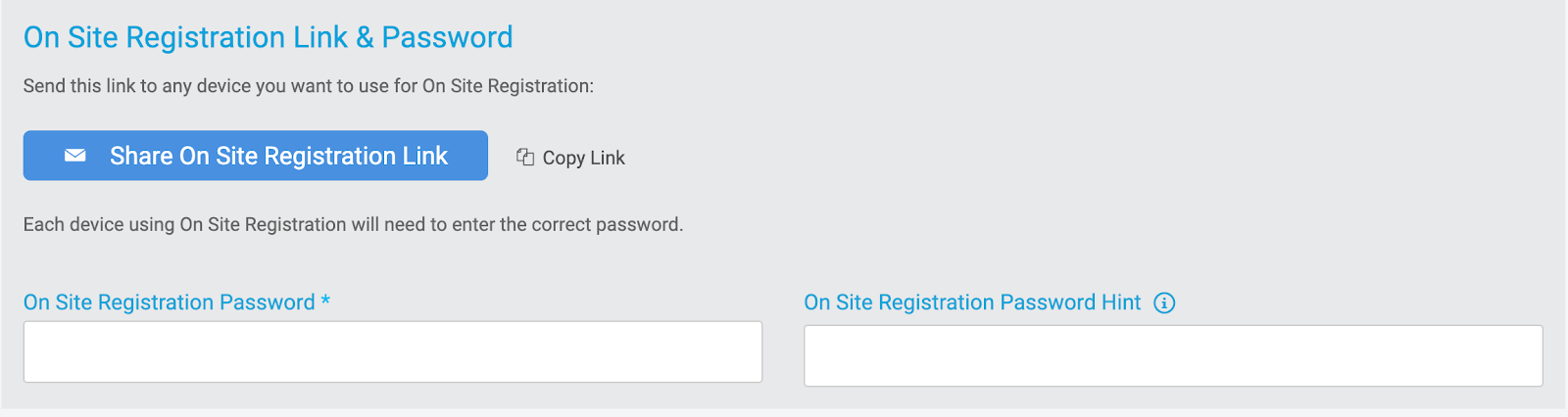
When On Site Registration is enabled, you’ll be able to email the On Site Registration link to someone or copy it to your clipboard. The same password settings remain from Expo Mode, but we’ve added the “password hint” feature to help you and your staff remember it.

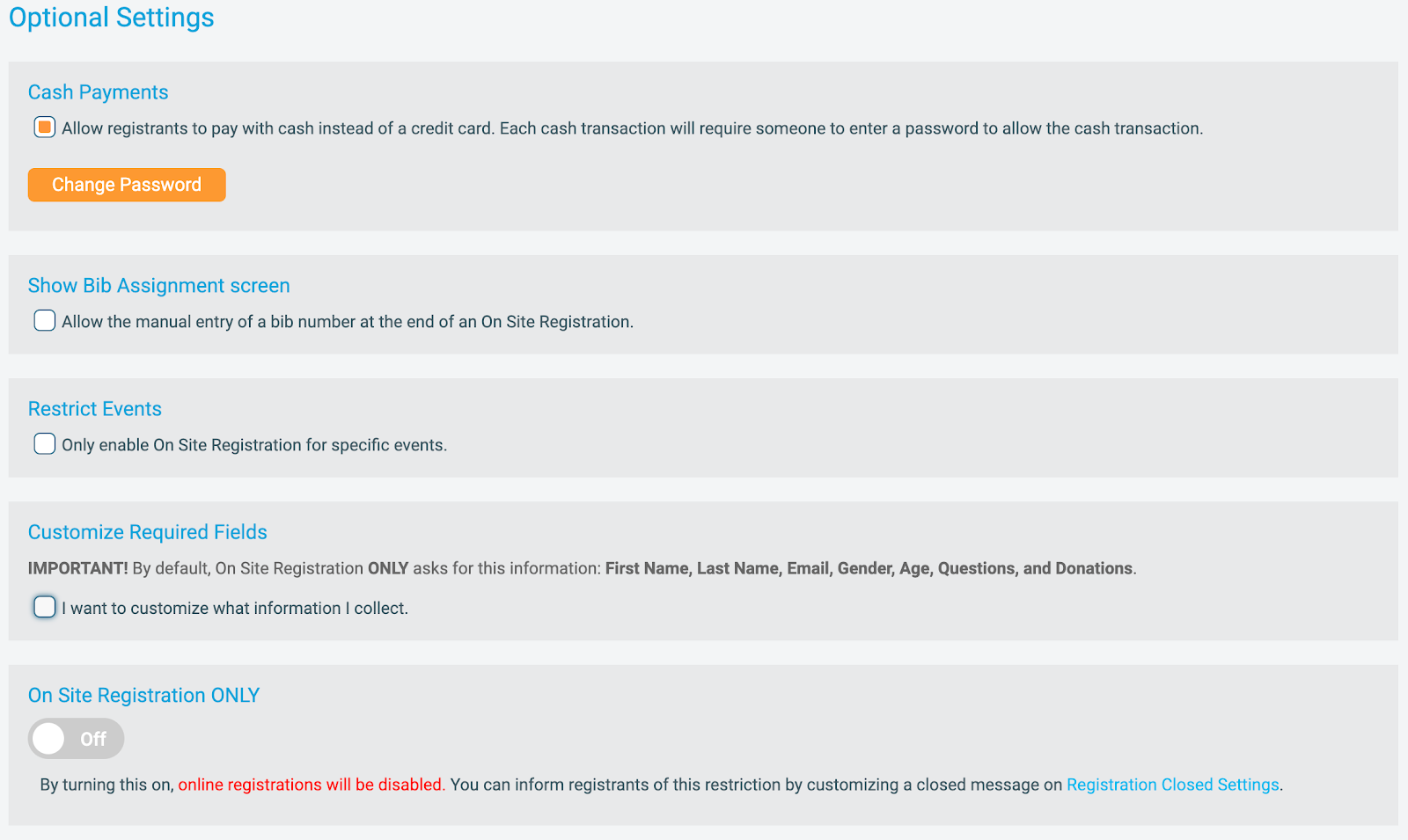
The option settings below the Link and Password area provide additional features to help customize your on site registration setup. These include:
- Cash Payment Password – Allows a volunteer to verify cash has been collected and complete registration for the participant.
- Bib Assignment Screen – Allows a volunteer to directly assign a bib at registration time instead of sending them to a separate line to check in and receive their bib.
- Restrict Events – Gives the race the ability to specify which events will be displayed in On Site Registration mode.
- Customize Required Fields – We’ve moved the Kiosk/Expo Mode Fast Registration Options here to help streamline your setup.
- On Site Registration Only – This disables online registration so participants cannot sign up on their phone or at home and can only register through the devices set up with On Site Registration.


Once you’ve configured your On Site Registration settings, you’ll be able to save your changes and head out to your race day or expo registration with a smooth and streamlined process for your registrants.
Some recommended best practices include disabling your browser auto-fill setting on the devices that you plan on using for On Site Registration as well as making sure you are logged out of your RunSignup account since this will be used for public registration.